Make a CloudBoost resource available via packages
CloudBoost resoruces are used in multiple ways. Teams are simply cloning the full GIT repo and copy paste the templates to their own repo. Teams sometimes make a GIT submodule and work directly from their own GIT repo with the CloudBoost resources. But, the most comforatable way to work with the resources is using the package manager, Azure DevOps Artifacts. When using a package manager the team who uses the CloudBoost resources are in full control which version they want to consume and they can control which CloudBoost resources are used.
In this How-To you will find how to configure Azure DevOps to create a package for a new CloudBoost resource on Azure Artifacts.
There are two steps:
- Create an Azure DevOps pipeline
- Add the Package Id to the resource documentation page
1. Create an Azure DevOps pipeline
In Azure DevOps you can go to the folder view of the pipelines.
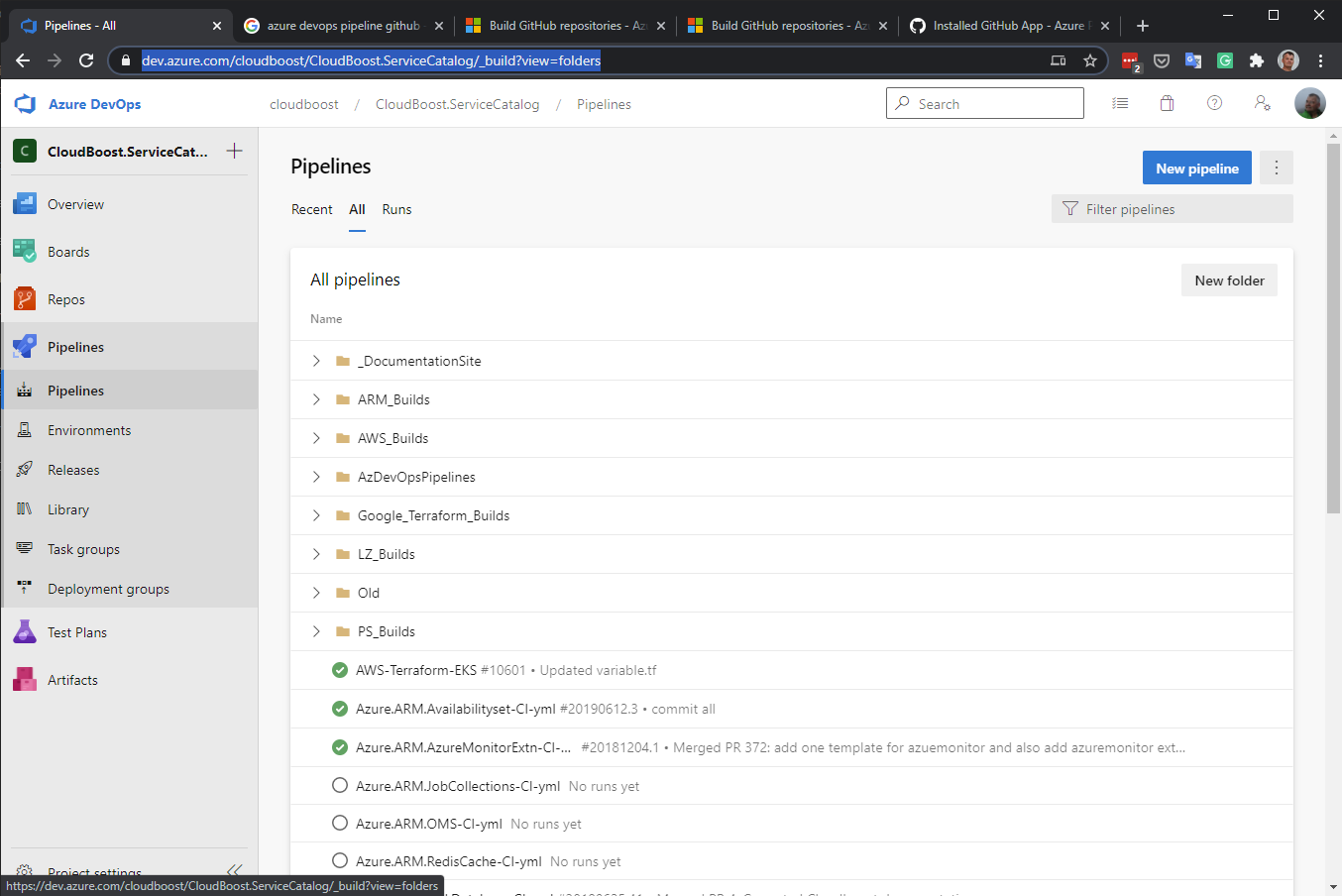
Per technology stream there is a folder with pipelines. The builds in these folders are using the same Pipeline YML file. For example all Azure RM Templates are using the file : VSTS-CI.yml.
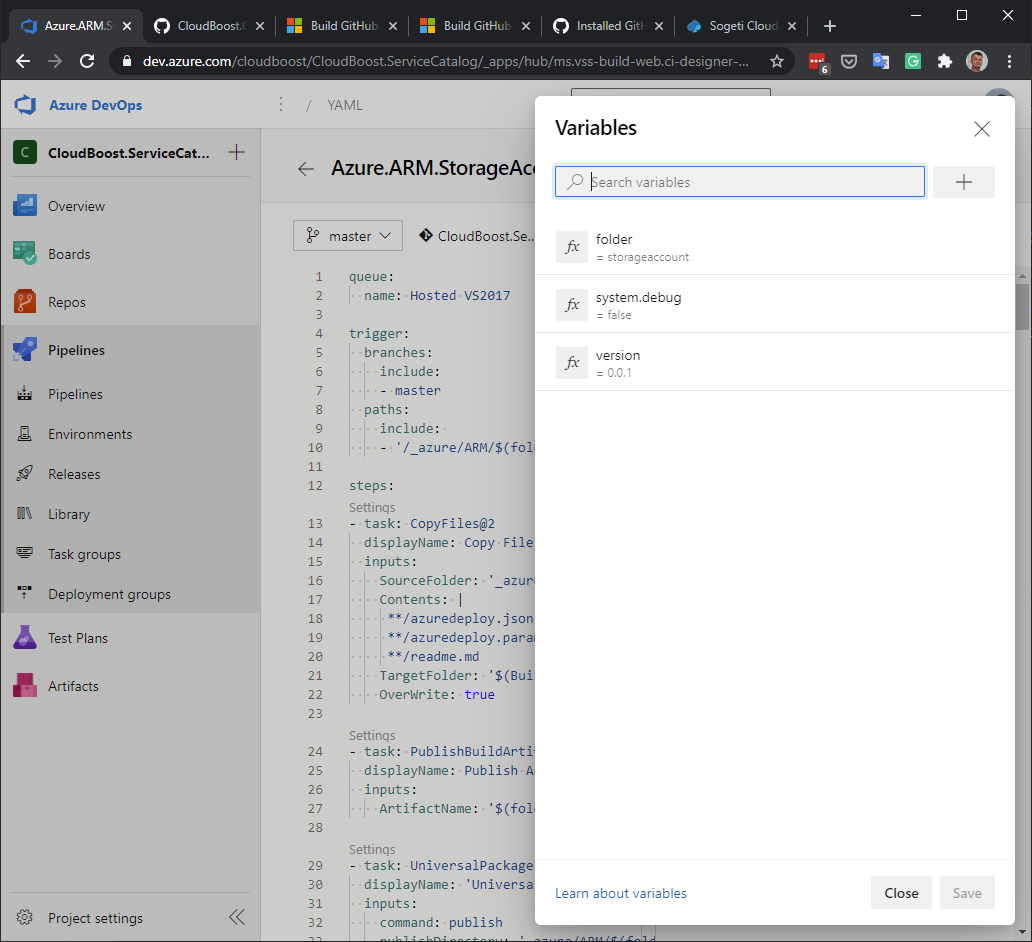
In the trigger section of the YML there is a variable used $(folder), this variable takes care that this pipeline is only triggered when artifacts are changed in this folder.
trigger:
  branches:
    include:
    - master
  paths:
    include:
    - '/_azure/ARM/$(folder)/'
When creating the Azure DevOps pipeline you need to add this variable with value to the variable settings in Azure Peipelines.
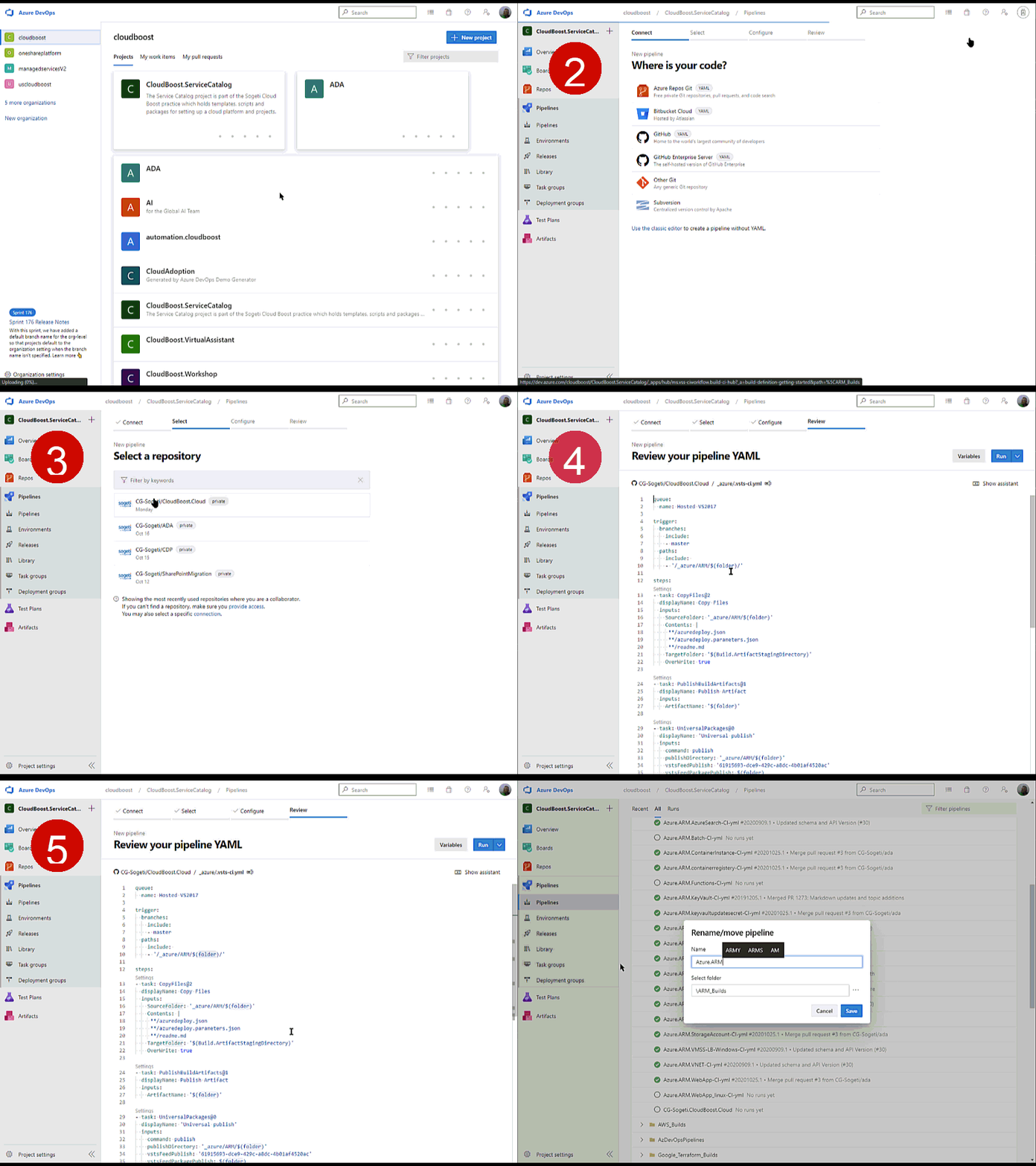
The rest of creating the pipeline is straightforward, see video.
- Select the pipeline folder where you want to add the new pipeline
- Create new GitHub pipeline via ‘connection’, select Github/cg-Sogeti/CloudBoost.cloud
- Select exsisting YML and select your technology YML file (when not avaialble yet, ask your team or create one)
- Set folder variable.
- Save and rename
2. Add the Package Id to the resource documentation page
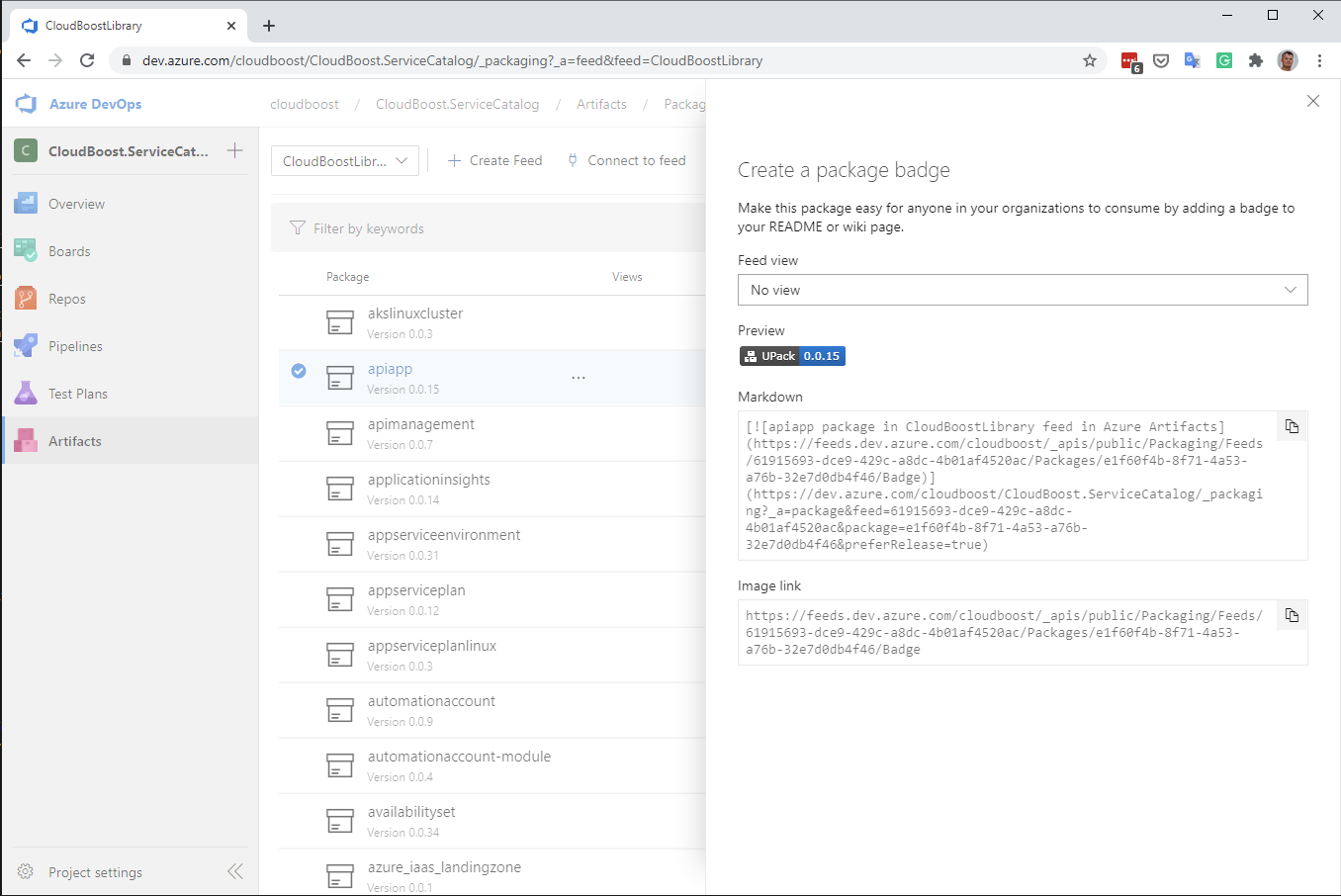
The build creates a new or updates a package. To visualize on the documentaiton page that there is a pacakage avaialble, you need to add the packageId to the page.
Some pages (see include/armtemplate.html) have the package id as a variable, for the rest you can copy past the full code