GIT Technical Guidance
Guidelines and help for working with Git for the Cloud Foundation platform.
Git Branching strategy
The GitFlow branching strategy is used by default.
- Anything in the master branch is deployable.
- Master branch holds the truth.
- Development branch contains current sprint work.
- To work on something new, create a descriptively named branch off of the development branch (ie: new-oauth2-scopes)
- Commit to that branch locally and regularly push your work to the same named branch on the server.
- When a commit from another Feature branch is added to the Development Branch, merge the Development branch into your own Feature branch.
- When you need feedback and you feature branch is ready for merging, open a pull request to the Development branch.
- After someone else has reviewed and signed off on the feature, the feature is merged into Development.
- Development is merged and pulled to ‘master’ by the Cloud Foundation team members from where a deployment is started of the impacted components.
Sequence of git commands
git pull develop
git branch descriptive_branch_name
git commit "descriptive commit comment"
git push
git pull develop
git checkout descriptive_branch_name
git merge develop
git commit "descriptive merge commit comment"
Review
As a Pull Request reviewer follow the next steps.
- If available validate build output on success or failure.
- Validate changes in VSTS Diff screen if additions and changes are conform naming convention and strategy.
- Checkout and validate on development environment.
- Approve or reject Pull request and communicate.
Visual Studio Team Services configuration
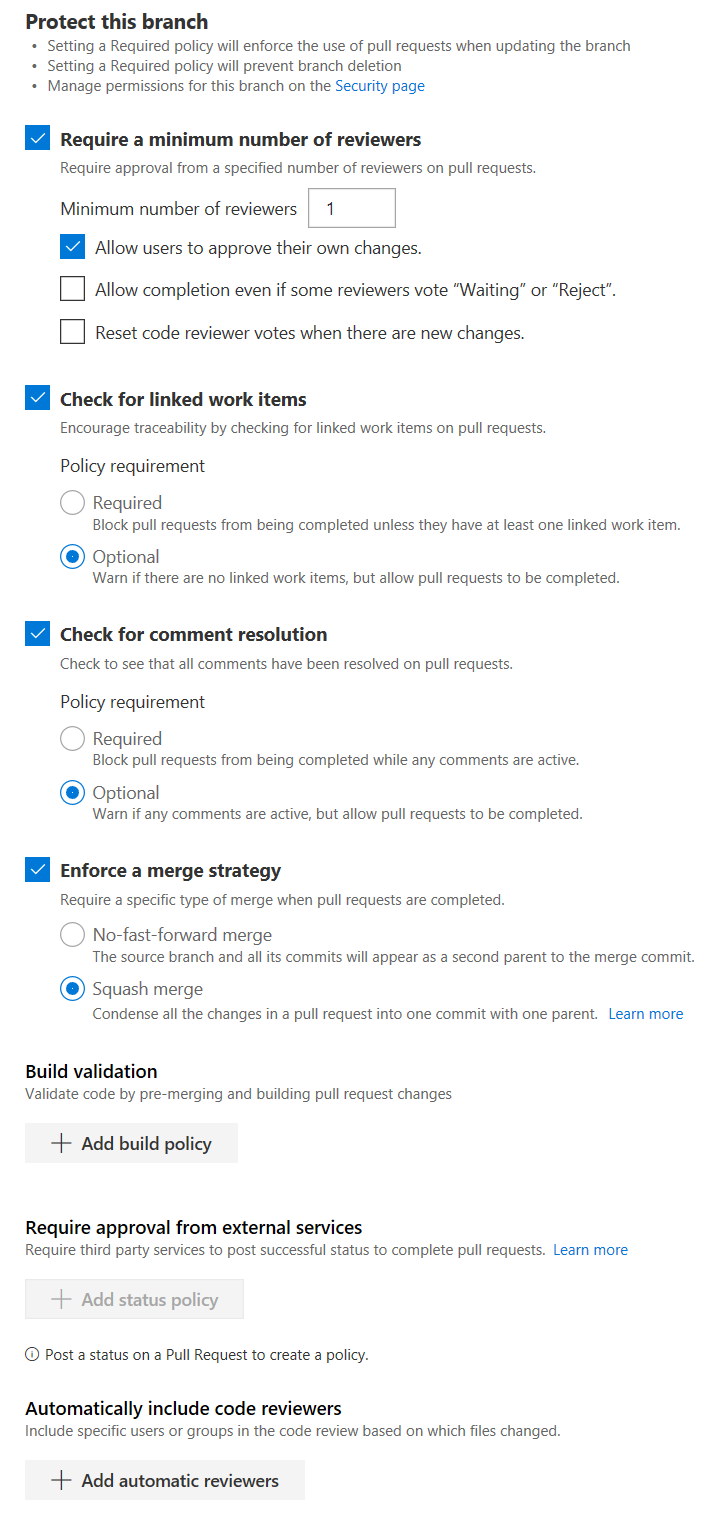
The master and develop branches are protected via branch policies. The current policy settings aren’t very strict to not slow the team down. They can be updated when needed.